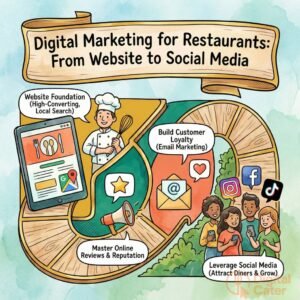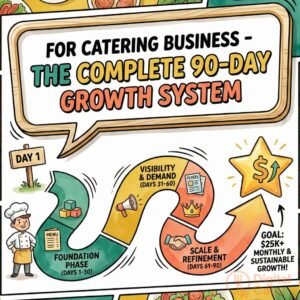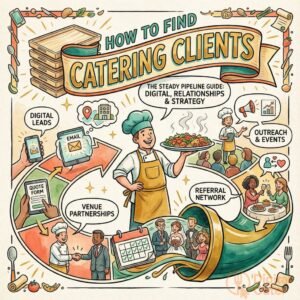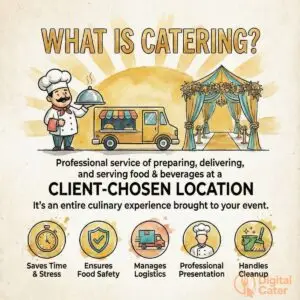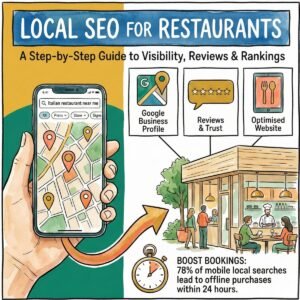
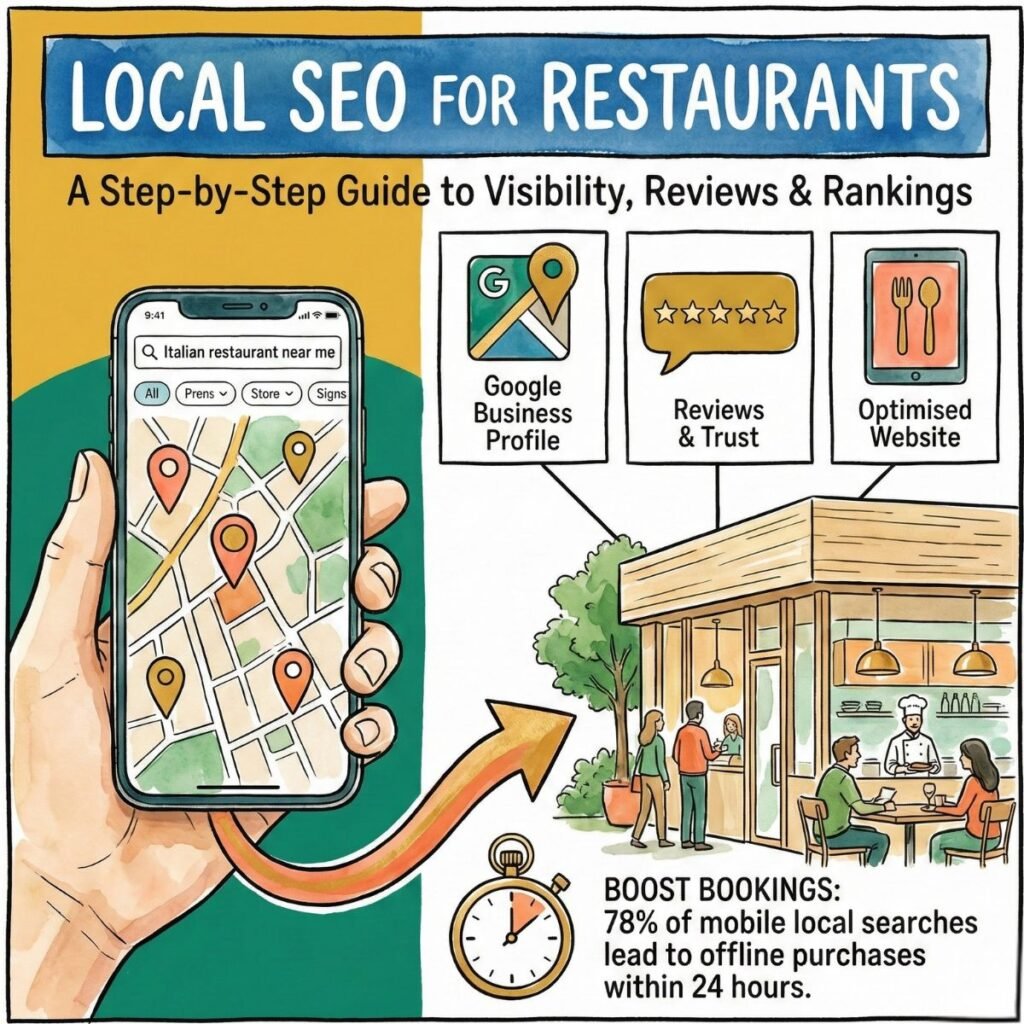
The restaurant industry thrives on local visibility. When potential diners search for their next meal, your establishment needs to appear at the top of their results. That’s where local SEO becomes your most valuable marketing asset.
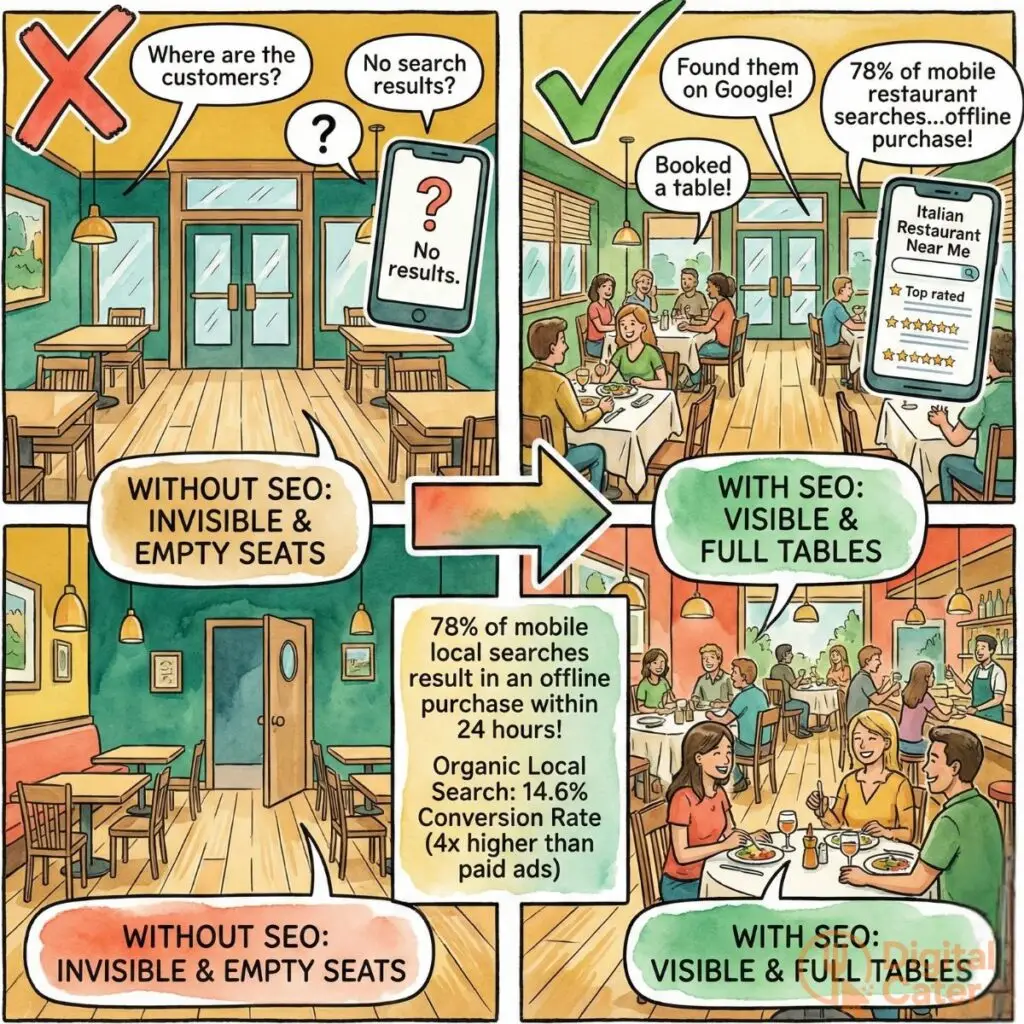
Studies show that 78% of mobile local searches result in offline purchases within 24 hours. For restaurants, this statistic isn’t just transformative—it’s the difference between full tables and empty seats. Every day, hungry customers in your area are actively searching for exactly what you offer. The question is: will they find you, or your competitor?
This guide walks you through proven strategies to dominate local search results. You’ll learn how to optimise your Google Business Profile, build a review system that drives rankings, and create a website that converts searchers into seated guests. No technical jargon. No overwhelming complexity. Just practical steps that deliver measurable results.
Please see the image below for full benefits of Local Seo for restaurants
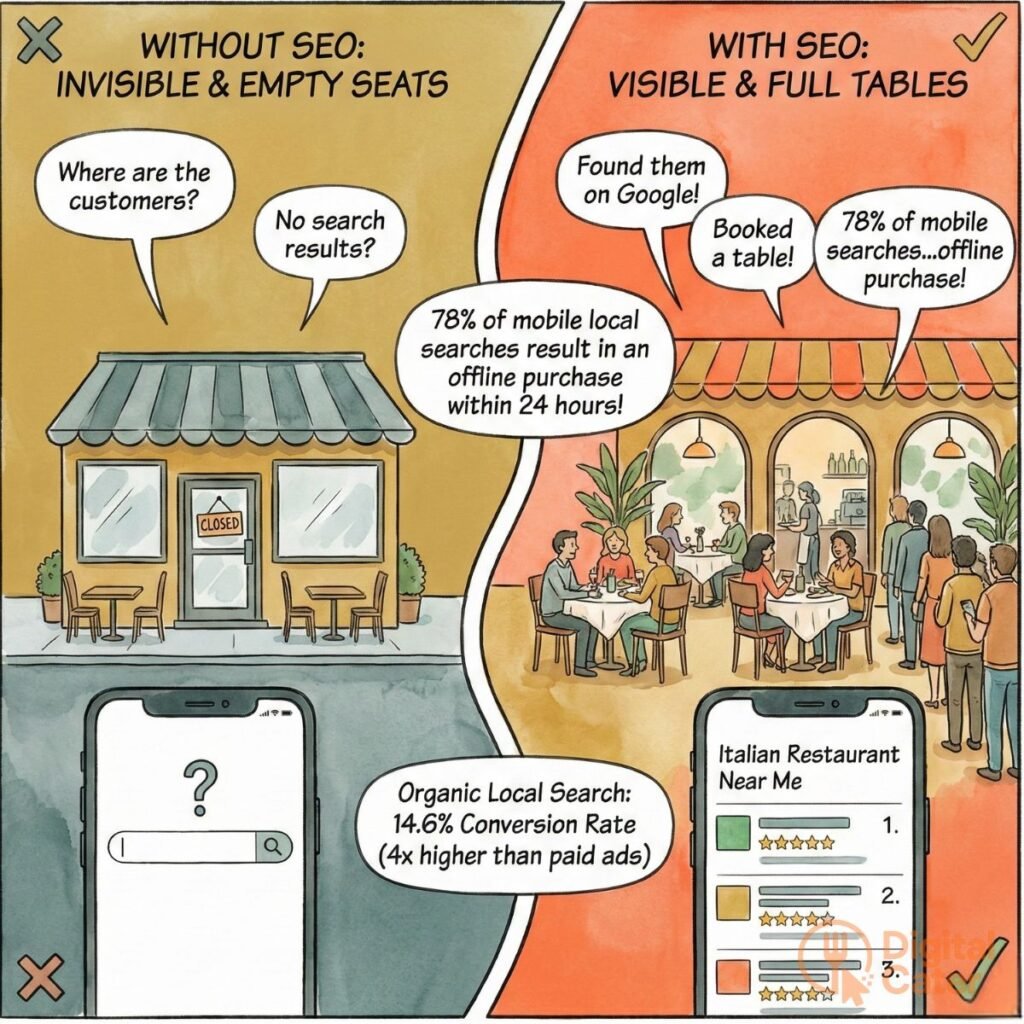
Table of Contents
Why Local SEO Is Critical for Restaurant Success
Picture this: A family of four decides to dine out. They pull out their phone and type “Italian restaurant near me.” Within seconds, Google presents three options. The top-ranked restaurant gets the booking. The others? They never stood a chance.
This scenario plays out thousands of times daily in every neighbourhood. Local SEO determines who wins this digital race to attract diners.
The numbers tell a compelling story. Consider these research findings:
Consumer search behaviour reveals significant patterns. Mobile users conduct 76% of local restaurant searches. Within a day, 28% of these searches result in a purchase. Voice search continues growing, with 58% of consumers using it to find local restaurants. These aren’t abstract statistics—they represent real customers making real booking decisions.
Return on investment varies dramatically across marketing channels. Compare the performance:
| Marketing Channel | Average Conversion Rate | Cost Per Acquisition | Customer Quality |
|---|---|---|---|
| Organic Local Search | 14.6% | £2.50 | High-intent diners |
| Paid Advertisements | 3.75% | £15.80 | Mixed intent |
| Social Media | 1.85% | £22.40 | Low immediate intent |
Organic search delivers nearly four times the conversion rate of paid ads at one-sixth the cost. Social media, whilst valuable for brand building, rarely converts to immediate bookings.
Different restaurant formats benefit uniquely from local SEO. Quick-service restaurants capture impulse decisions. Local visibility drives spontaneous visits. Fine dining establishments need detailed information—menus, ambience photos, reservation systems. Casual dining benefits from reviews and family-friendly signals. Delivery-focused operations require accurate service area mapping and real-time ordering integration.
The impact extends beyond immediate bookings. Strong local SEO builds sustainable competitive advantage. Whilst competitors pay for each click, your optimised presence attracts free, qualified traffic indefinitely.
One independent café owner reported a transformation: “We invested three months in local SEO. Our Google Business Profile views increased 340%. More importantly, direction requests jumped 180%. That translated to 45% revenue growth without increasing ad spending.”
Understanding these dynamics helps you prioritise resources. Local SEO isn’t optional—it’s essential infrastructure for modern restaurant operations.
Google Business Profile: Your Restaurant's Digital Storefront
Your Google Business Profile (GBP) serves as your digital shopfront. When potential diners search for restaurants, your profile often appears before your website. It displays critical information: location, hours, menu, photos, reviews. This free tool can transform your local visibility—if you use it properly.
Most restaurant owners create a basic profile and forget it. That’s a costly mistake. Strategic optimisation turns your GBP into a lead generation machine, working round the clock to attract hungry customers.
Think of your profile as a 24-hour sales representative. It answers questions, showcases your best dishes, and persuades searchers to choose your establishment over competitors. The difference between a neglected profile and an optimised one often determines who gets the booking.
Setting Up and Verifying Your Profile
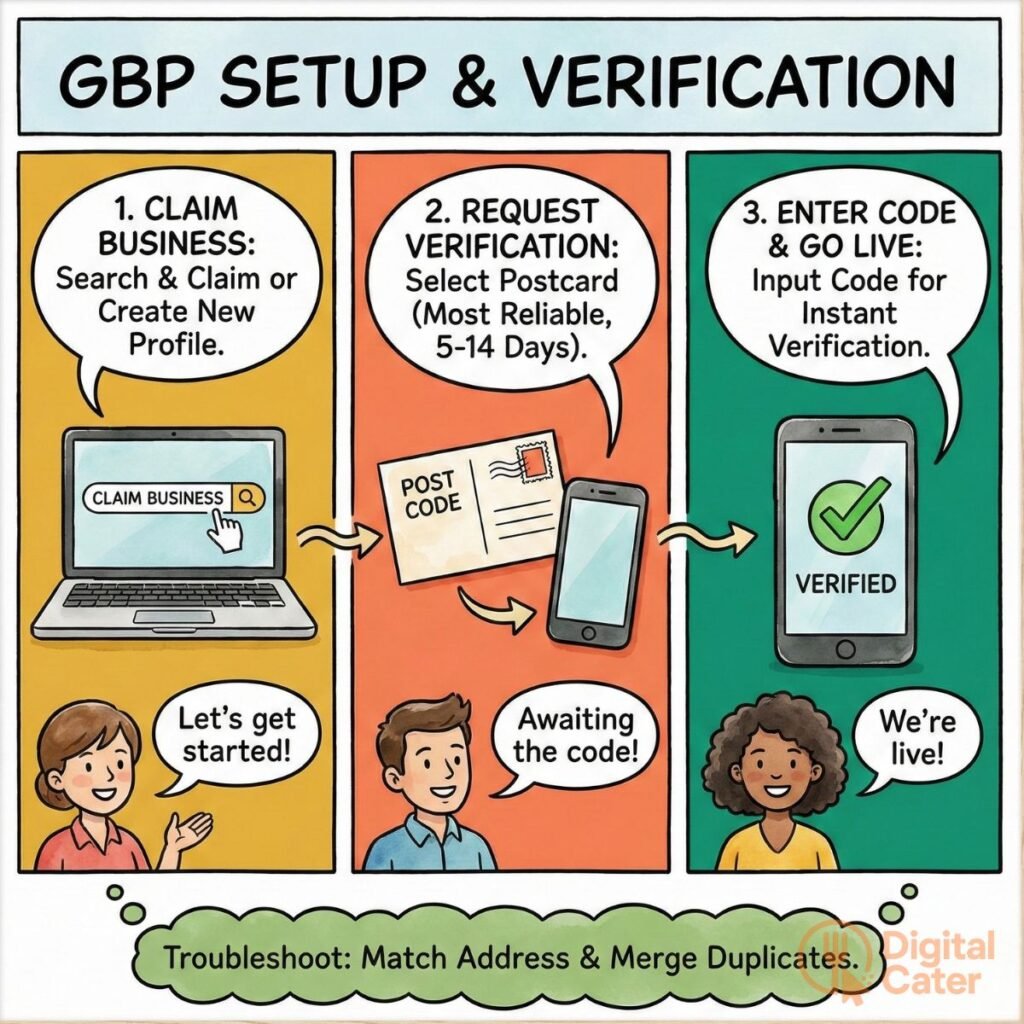
Start by claiming your business. Visit the Google Business Profile dashboard. Search for your restaurant name. If a listing exists, claim it. If not, create a new profile.
Follow these verification steps:
- Select your verification method. Google offers three options: postcard (most common), phone, or email. The postcard method remains most reliable for restaurants.
- Request your verification code. Google mails a postcard to your registered address within five to fourteen days. The code arrives printed on the card.
- Enter your verification code. Access your GBP dashboard. Input the code exactly as printed. Your profile becomes verified immediately.
Timeline expectations matter. Postcard verification typically takes seven to ten days. Phone verification, when available, completes within minutes. Email verification works for previously verified businesses at the same address.
Common issues require troubleshooting. If Google can’t find your address, ensure it matches official records. Duplicate listings confuse the system—merge them through the dashboard. Suspended profiles need appeals with documentation proving legitimacy.
The image shows step by step to setup and verify GBP
Optimising Every Profile Section
Verification is just the beginning. Optimisation separates visible restaurants from invisible ones.
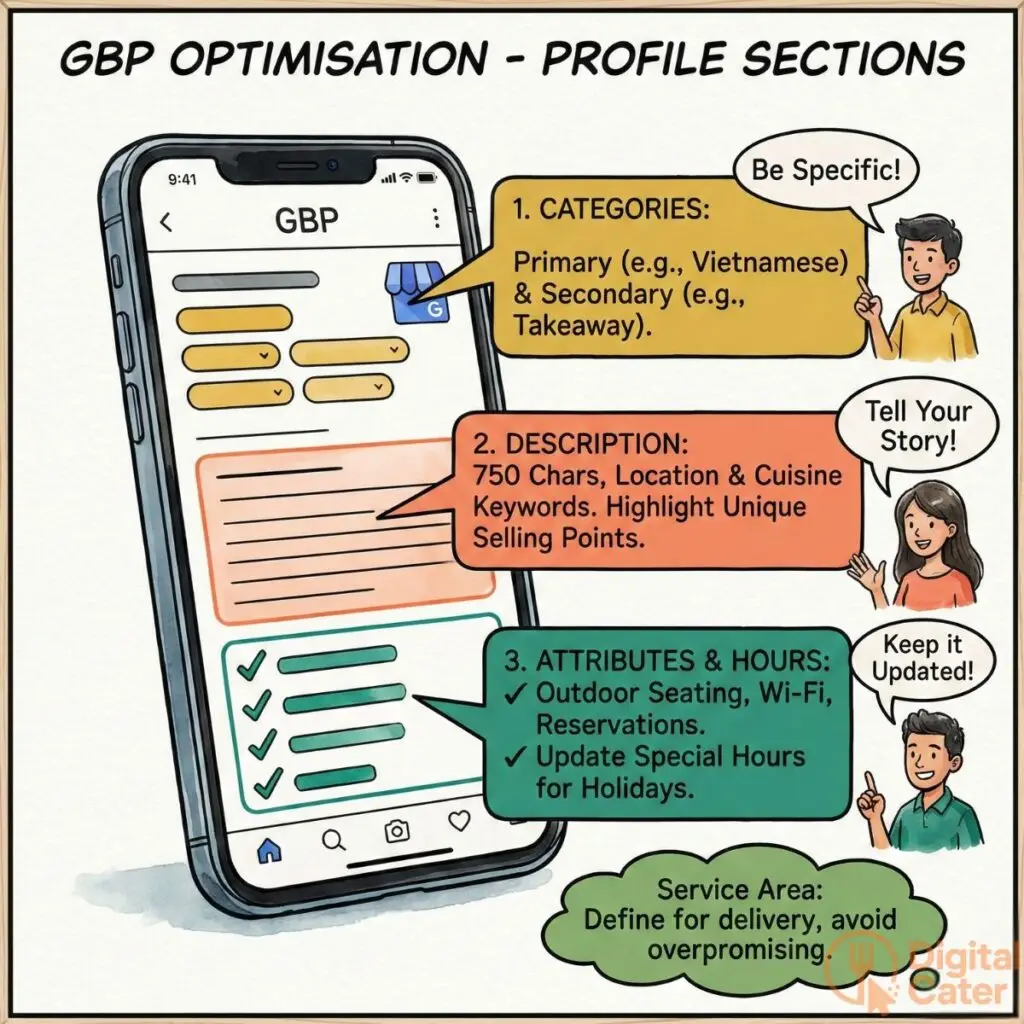
Category selection shapes discovery. Choose your primary category carefully—it determines when you appear in searches. “Restaurant” is too broad. “Vietnamese Restaurant” targets specific searches. Add secondary categories like “Takeaway Restaurant” or “Vegetarian Restaurant” to capture additional queries.
Examples of effective category combinations:
- Primary: Thai Restaurant | Secondary: Vegetarian Restaurant, Delivery Restaurant
- Primary: Italian Restaurant | Secondary: Pizza Restaurant, Wine Bar
- Primary: Japanese Restaurant | Secondary: Sushi Restaurant, Ramen Restaurant
Your business description requires strategic keyword placement. You have 750 characters to explain what makes your establishment special. Front-load your description with location and cuisine type. “Award-winning Vietnamese restaurant in Brunswick, serving authentic pho and banh mi since 2015.” Natural language beats keyword stuffing every time.
Keep your description under 150 characters for the best display. Focus on what makes you unique. Family recipes passed down three generations. Locally sourced ingredients. Award recognition. Speciality dishes unavailable elsewhere.
Attributes communicate specific details. Enable every relevant attribute:
- Outdoor seating signals al fresco dining options
- Wheelchair accessible attracts mobility-conscious diners
- Free Wi-Fi appeals to remote workers and students
- Live music differentiates weekend entertainment
- Vegan options capture plant-based searches
- Reservations accepted sets booking expectations
- High chairs available targets families with young children
- Dogs allowed attracts pet owners
Special hours prevent customer frustration. Update your profile for holidays, events, and temporary closures. Christmas Day? Post special hours two weeks early. Hosting a private function? Mark those hours as closed. Last-minute changes? Google allows immediate updates.
Service area configuration suits delivery operations. Delivery restaurants must define their service area. Draw boundaries that match your actual delivery zone. Include specific suburbs or postcodes. Overpromising creates disappointed customers and negative reviews.
Please see the diagram for GBP optimisation for profile sections
Visual Content Strategy
Photos drive engagement more than any other profile element. Listings with photos receive 42% more direction requests and 35% more website clicks than those without.
Prioritise these photo types:
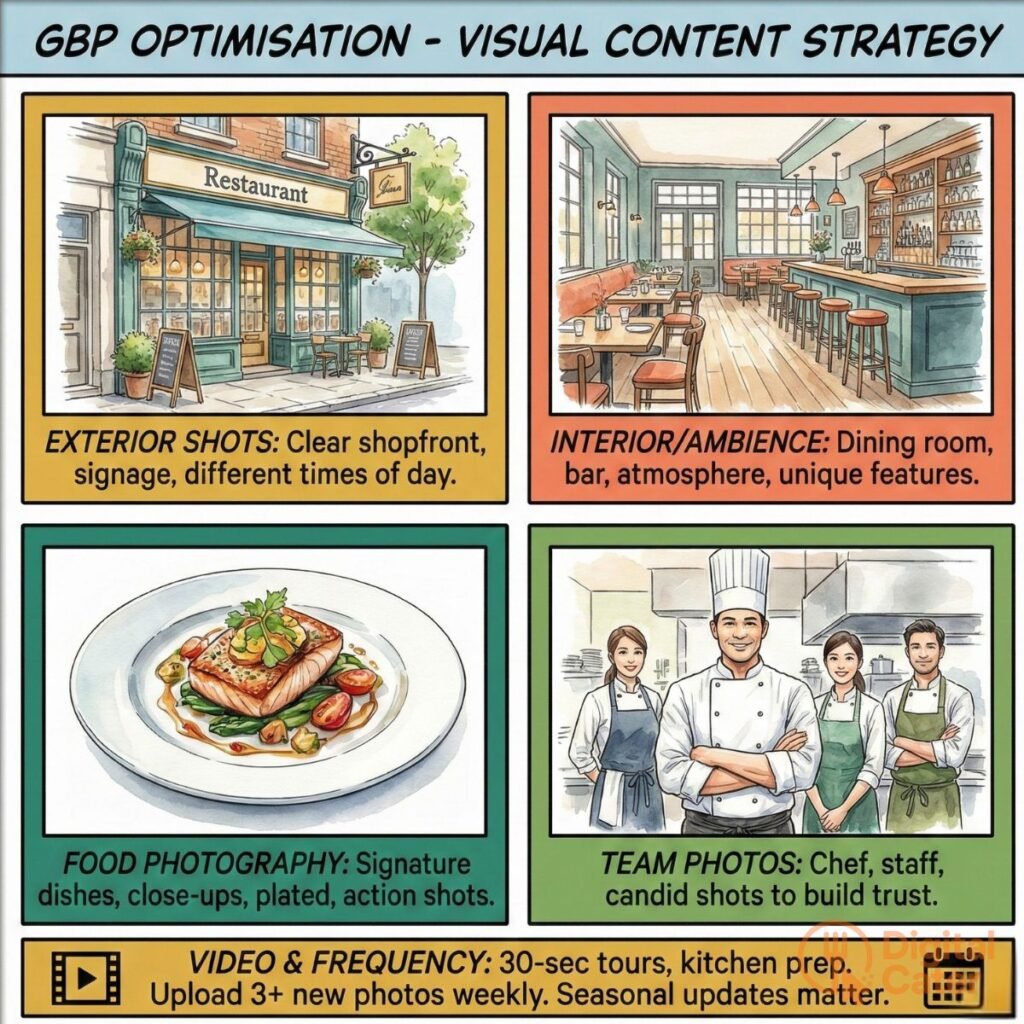
Exterior shots establish recognition. Upload clear photos of your shopfront from multiple angles. Include signage, entrance, and any distinctive architectural features. Diners use these images to locate you in busy streets. Capture different times of day—daytime visibility and evening ambience both matter.
Interior photos set ambience expectations. Showcase your dining room, bar area, and private dining spaces. Natural lighting creates warmth. Capture your atmosphere—romantic, family-friendly, or energetic. Include details that differentiate you: exposed brick walls, open kitchen views, garden seating, intimate booth arrangements.
Food photography sells dishes. Professional shots of signature dishes drive orders. Close-ups of your best sellers. Plated dishes from appetisers through desserts. Action shots of chefs preparing food add authenticity. Show steam rising from hot dishes. Capture garnish details and presentation artistry.
Team photos build trust. Introduce your chef, kitchen staff, and front-of-house team. Faces create connection. Customers eat at restaurants run by people they trust. Candid shots of chefs at work outperform staged portraits.
Menu images inform decisions. Upload high-resolution menu photos. Include prices. Update seasonally. Photograph each menu page clearly. Ensure text remains readable when viewed on mobile devices.
Technical specifications matter. Minimum width: 720 pixels. Format: JPG or PNG. File size under 5MB. Geotag photos with your exact location—this sends strong local signals to Google’s algorithm. Most modern smartphones automatically embed location data when you photograph at your restaurant.
Video content creates immersion. Thirty-second virtual tours work brilliantly. Show the journey from entrance to table. Kitchen preparation videos demonstrate quality standards. Chef interviews build expertise signals. Behind-the-scenes content humanises your brand.
Upload frequency affects visibility. Add at least three new photos weekly. Fresh content signals active management. It keeps your profile appearing current in search results. Seasonal updates matter—autumn leaves, Christmas decorations, summer outdoor dining. These visual cues reinforce timeliness.
Please see image below for Visual Content Strategy
Menu Integration and Updates
Your menu deserves special attention. Google allows direct menu uploads through your dashboard. This integration helps hungry searchers evaluate options without visiting your website.
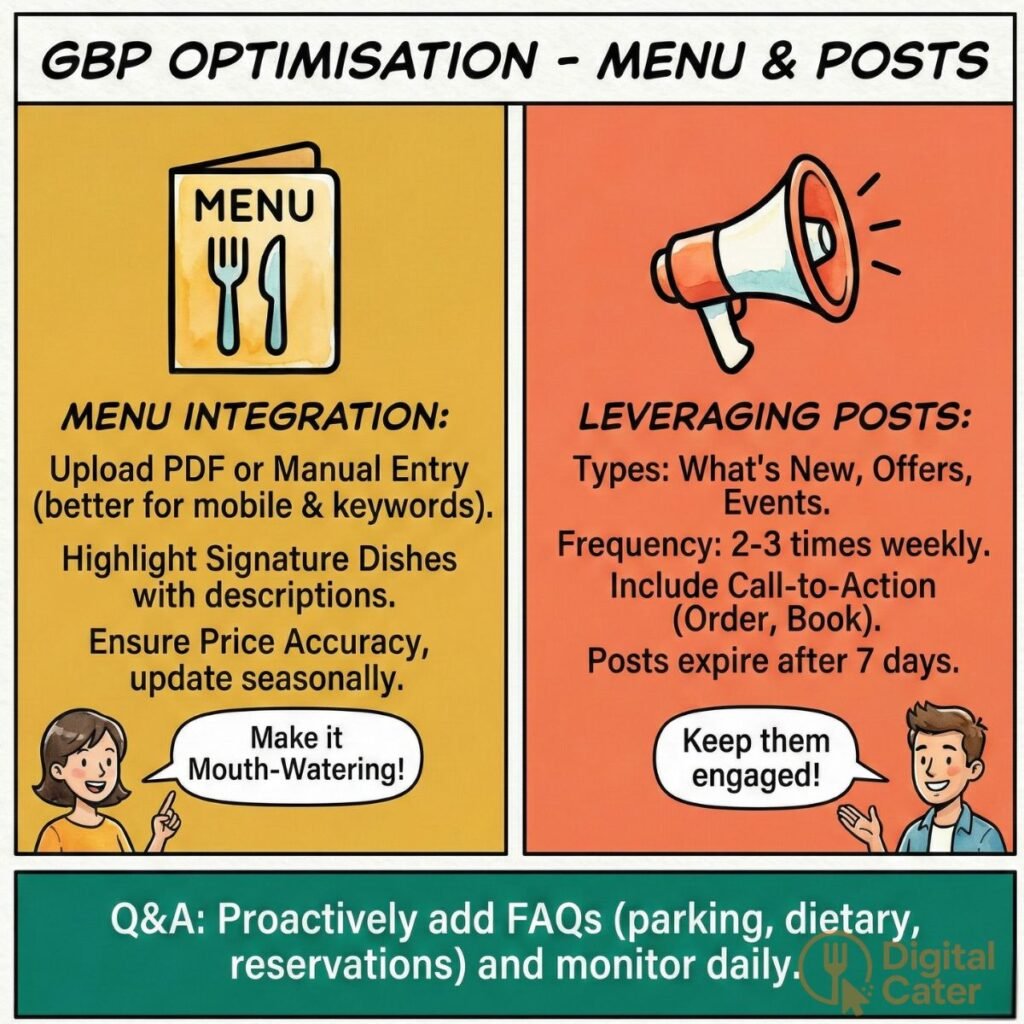
Follow this upload process. Access your GBP dashboard. Navigate to the Menu section. Click “Add menu.” Upload a PDF or add items manually. Manual entry allows better keyword integration and mobile optimisation.
Seasonal updates keep content fresh. Change menus quarterly at minimum. Highlight seasonal ingredients. Winter: hearty stews and warm desserts. Summer: light salads and cold soups. Spring: fresh vegetables and lighter proteins. Autumn: rich flavours and warming spices.
Signature dishes deserve prominence. Feature your three to five best sellers prominently. These dishes likely attract the most customer interest and positive reviews. Describe them appealingly. Don’t just list “Pho.” Write “Traditional Beef Pho—Slow-simmered bone broth with rice noodles, tender beef slices, fresh herbs.”
Price accuracy builds trust. Verify all prices match your current menu. Price discrepancies frustrate customers. They erode trust before diners even arrive. Update immediately when prices change.
Leveraging Posts and Updates
Google Business Profile posts allow regular communication with potential customers. These mini-announcements appear in your profile and can significantly boost engagement.
Post types serve different purposes:
What’s New posts announce events and menu additions. Launching Sunday brunch? Create a post with appealing photos and booking details. New seasonal menu? Showcase signature dishes with descriptions.
Offers attract deal-seekers. Promote special discounts with clear terms. “20% off Tuesday lunch—mention this post.” Include a promotional code for tracking. Set expiration dates to create urgency.
Updates share general announcements. New opening hours. Award recognition. Chef appearances. Community involvement. These posts build brand story and local connection.
Optimal posting frequency drives visibility. Publish two to three times weekly. Consistency matters more than volume. Create a content calendar. Monday: weekly special. Thursday: weekend event promotion. Saturday: customer appreciation post.
Call-to-action buttons guide user behaviour. Each post allows one CTA. Options include Order Online, Book, Learn More, and Sign Up. Choose based on post objective. Promotional posts? Use Order Online. Event announcements? Select Book.
Post lifespan requires refresh strategy. Posts expire after seven days. Schedule weekly updates to maintain visibility. Recycle successful posts with updated photos and copy. Track which posts drive the most engagement through GBP insights.
Example post templates streamline creation:
New menu item: “Introducing our [Dish Name]—[Brief description highlighting key ingredients and preparation]. Available [days/times]. Order now: [link] #[Cuisine]Food #[Neighbourhood]Dining”
Weekend special: “This weekend only: [Offer details]. Book your table: [link]. Limited availability. #Weekend[Cuisine] #[City]Restaurants”
Event promotion: “[Event Name] on [Date]. [Brief description]. Tickets: [link]. [Time]. Join us for [highlight]. #[City]Events #[Cuisine]Experience”
A diagram below shows how to optimise the Menu and Posts
Managing Questions and Answers
The Questions and Answers section allows potential customers to ask about your restaurant. Smart operators don’t wait for questions—they proactively add common queries.
Create a proactive strategy. Add ten to fifteen frequently asked questions yourself. This controls the narrative and ensures accurate information appears prominently.
Essential questions to address:
“Where can I park?” Detail parking options: street parking availability, nearby car parks, valet service.
“Do you accommodate dietary restrictions?” List options: vegetarian, vegan, gluten-free, dairy-free, nut allergies.
“What’s your reservation policy?” Explain booking requirements: walk-ins welcome, reservations recommended for dinner, booking required for groups over six.
“Can you host private events?” Describe capacity and packages: private dining room seats twenty, full venue buyout available, customised menus for groups.
“Do you offer takeaway or delivery?” Clarify service options: takeaway available during all operating hours, delivery through own website or third-party platforms.
Monitor questions frequently. Check daily for new queries. Response time impacts customer perception. Answer within twenty-four hours maximum. Same-day responses demonstrate attentiveness.
Use questions for keyword integration. Answers provide natural opportunities to include location and cuisine terms. “Yes, we offer gluten-free options at our Brunswick Vietnamese restaurant. Our rice paper rolls and pho are naturally gluten-free.”
Review Management: Building Trust and Rankings
Reviews shape your restaurant’s digital reputation. They influence both customer decisions and search rankings. Google’s algorithm treats reviews as trust signals—more reviews and higher ratings push you up in local search results.
Consider the customer journey. Someone searches “Thai restaurant Brighton.” Three establishments appear. The first shows 4.8 stars with 247 reviews. The second displays 4.2 stars with 18 reviews. The third has no reviews. Which one gets the booking? The choice becomes obvious.
Reviews serve dual purposes. They convince potential customers you’re worth visiting. They simultaneously signal to Google that you’re a credible, popular establishment worthy of prominent placement.
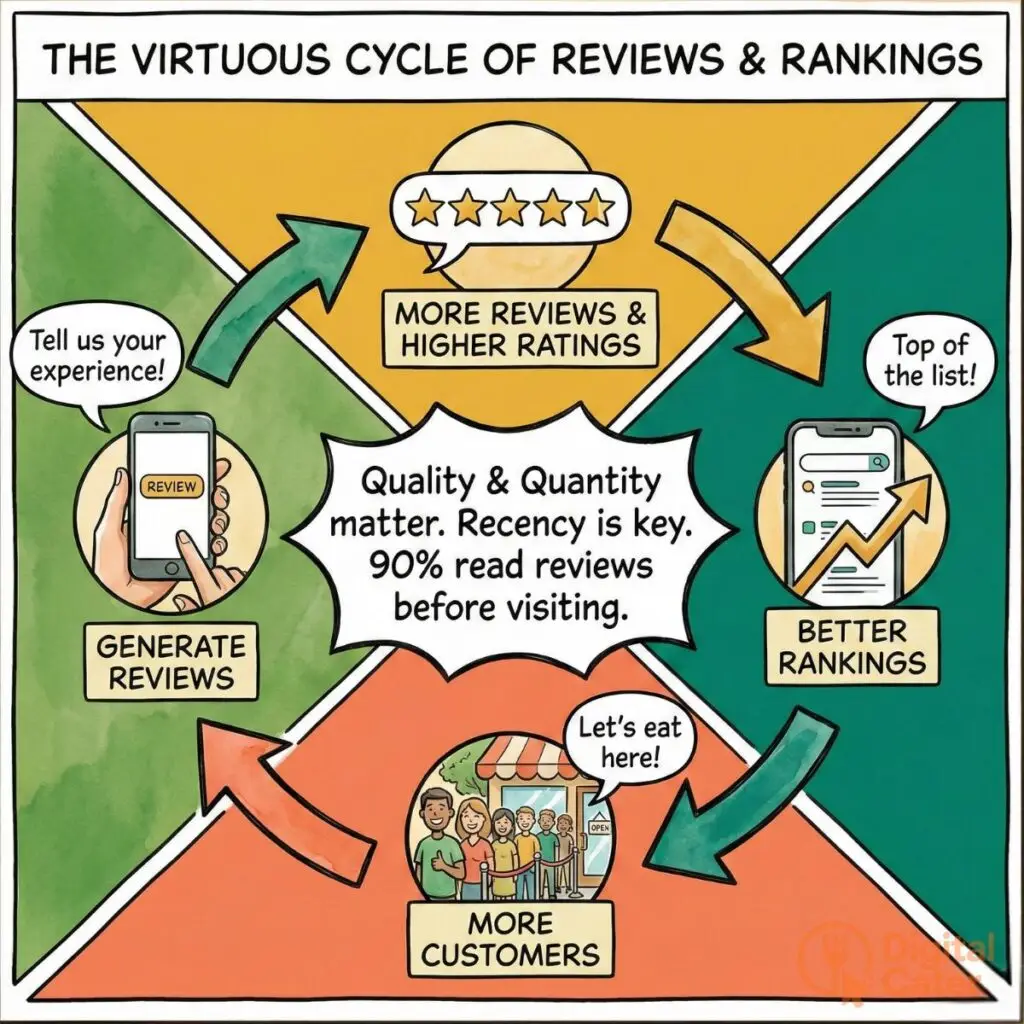
The relationship between reviews and visibility creates a virtuous cycle. Better rankings generate more customers. More customers produce additional reviews. Those reviews strengthen your rankings further. Breaking into this cycle requires systematic review generation and management.
Why Google Reviews Matter Most
Google reviews carry more weight than reviews on any other platform for local search visibility. They appear directly in search results. They integrate with your Google Business Profile. They influence the local pack rankings that determine which three restaurants appear at the top of local searches.
Review volume and rating function as ranking signals. Research demonstrates clear correlation. Restaurants with 50-plus reviews rank 12% higher on average than those with fewer reviews. Rating matters too—each half-star improvement corresponds to approximately 7% better visibility.
Click-through rates increase substantially with reviews. Listings with reviews receive 35% more clicks than identical listings without reviews. Star ratings create visual appeal. They provide social proof at a glance. They reduce perceived risk for potential customers.
Consumer trust statistics reveal review importance. Studies show 90% of diners read reviews before visiting a restaurant. 76% trust online reviews as much as personal recommendations. 54% visit a restaurant within seven days of reading positive reviews.
Quantity and quality require balance. Minimum threshold: 20 reviews for credibility. Ideal target: 50-100 reviews for competitive markets. Consistent flow beats sporadic bursts. One to three reviews weekly signals ongoing customer satisfaction better than 20 reviews in one month followed by silence.
Recency factors into ranking algorithms. Fresh reviews carry more weight. A restaurant with 30 reviews in the past three months outperforms one with 100 reviews accumulated over five years. Google interprets recent reviews as evidence of current quality and popularity.
The diagram below shows the importance of reviews and rankings.
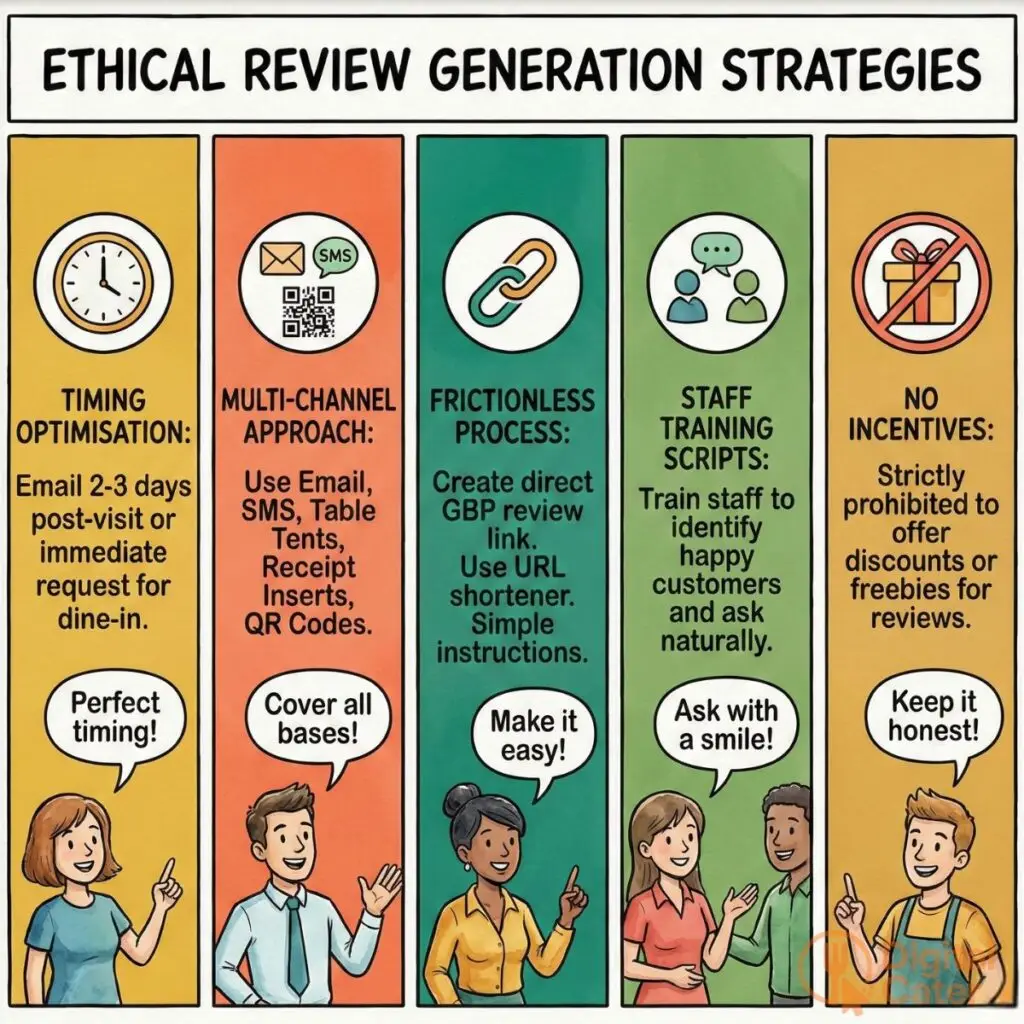
Ethical Review Generation Strategies
Earning reviews requires systematic approach. You can’t manipulate the system. You can create conditions that encourage satisfied customers to share experiences.
- Timing optimisation determines response rates. Ask via email two to three days post-visit. This timing allows meal memory to remain fresh whilst avoiding immediate post-dining fatigue. For dine-in guests, immediate requests work better—satisfaction peaks right after a satisfying meal.
- Multi-channel approach maximises coverage. Deploy multiple touchpoints:
Email campaigns target customers in your database. Send personalised requests referencing their recent visit.
SMS follow-ups work for customers who provided mobile numbers during reservation or online ordering.
Table tents display QR codes linking directly to your review page. Position them prominently on tables.
Receipt inserts provide review instructions with every bill. Include step-by-step guidance.
QR codes on business cards enable quick access. Train staff to hand these to satisfied customers.
- Frictionless review process increases completion rates. Simplify the path to leaving a review. Create a direct Google Business Profile review link. Shorten it using a URL shortener. Include clear instructions: “Scan this code. Tap the stars. Share your experience.”
- Staff training scripts ensure consistent requests. Train servers to identify satisfied customers. Provide a natural script: “We’re thrilled you enjoyed your meal. Would you mind sharing your experience on Google? It helps other diners discover us.” Authentic delivery beats rehearsed pitches.
- Incentive guidelines prevent policy violations. Google prohibits offering incentives for reviews. Don’t offer discounts, free items, or entry into competitions in exchange for reviews. You can encourage reviews generally. You cannot condition incentives on review completion. Violations risk suspension.
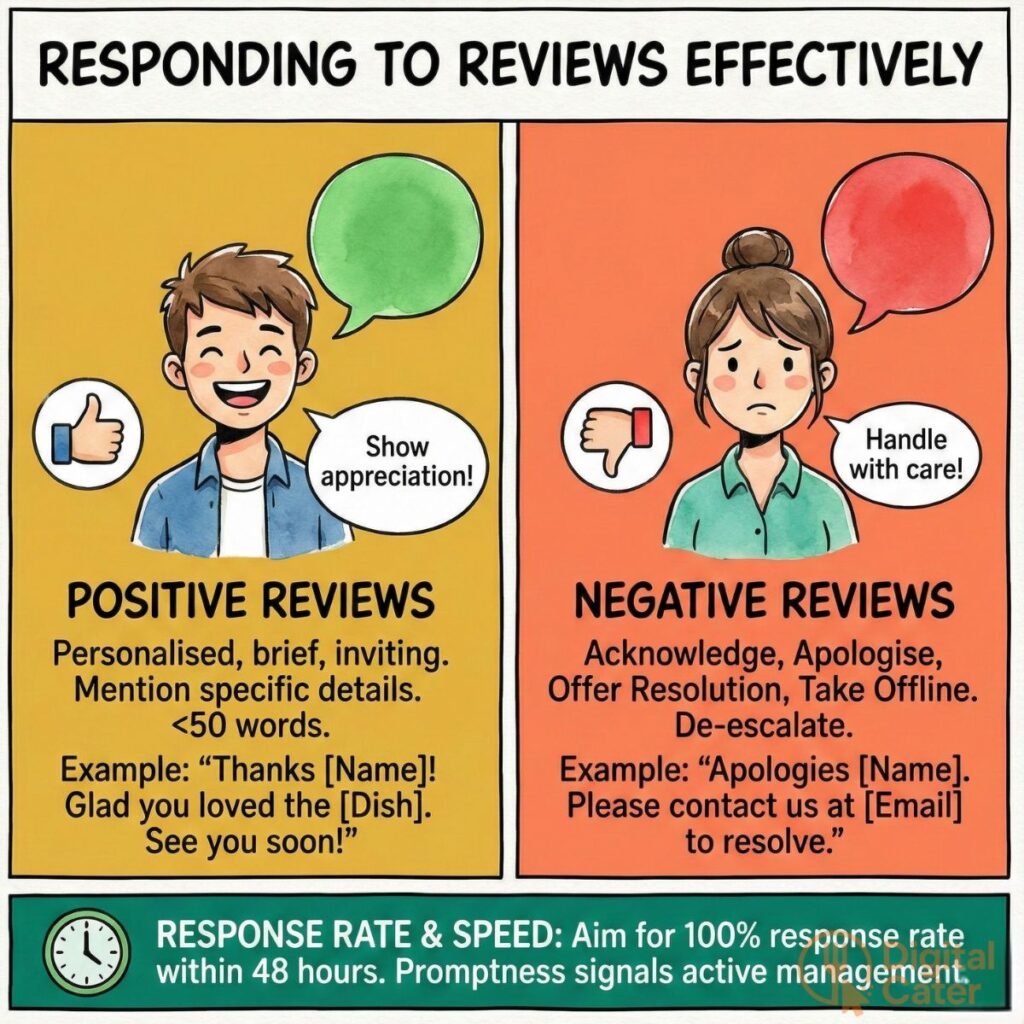
Responding to Reviews Effectively
Review responses demonstrate attentiveness. They show potential customers you value feedback. They provide opportunities to address concerns and showcase personality.
Response rate impacts perception. Aim for 100% response rate within 48 hours. Promptness signals active management. It reassures future customers that you’ll address their concerns if issues arise.
Positive review responses should be personalised, brief, and inviting. Template structure:
“Thank you, [Name]! We’re delighted you enjoyed [specific dish or experience they mentioned]. [Chef’s name or team member name] will be thrilled to hear you loved the [specific element]. We look forward to welcoming you back soon!”
Example: “Thank you, Sarah! We’re delighted you enjoyed our laksa. Chef Wei will be thrilled to hear you loved the complex spice layers. We look forward to welcoming you back soon!”
Keep responses under 50 words. Mention specific details from their review. This personalisation shows you read their feedback carefully.
Negative review responses require careful handling. Framework: Acknowledge → Apologise → Offer resolution → Take offline.
“Thank you for sharing your feedback, [Name]. We apologise that [specific issue] fell short of expectations. This doesn’t reflect our usual standards. Please contact us at [email/phone] so we can make this right.”
Example: “Thank you for sharing your feedback, James. We apologise that your steak arrived overcooked. This doesn’t reflect our usual standards. Please contact us at manager@restaurant.com so we can make this right.”
De-escalation techniques manage hostile reviews. Never argue publicly. Acknowledge emotions without accepting false claims. “We understand your frustration. We’d like to learn more about your experience. Please call us at [number].” Take heated discussions offline quickly.
Use responses for keyword opportunities naturally. Work location and cuisine terms into responses organically. “We’re glad you enjoyed authentic Vietnamese flavours at our Brunswick location.” Don’t force keywords—maintain natural, helpful tone.
Quick image shows to respond the reviews effectively
Restaurant Website Optimisation
Your website converts searchers into customers. Google Business Profile attracts attention. Your website closes the sale. It provides detailed information, showcases your atmosphere, and facilitates reservations or orders.
Local SEO extends beyond your business profile. Your website needs optimisation for location-based searches. This requires strategic keyword targeting, technical excellence, and content that serves both users and search engines.
Think of your website as your most valuable digital asset. Unlike your social media presence or third-party platform profiles, you control every element. You own the traffic. You capture customer data. You build lasting value.
Local Keyword Research
Keywords determine when your website appears in search results. Local keywords combine location with intent. They target people searching in your area for what you offer.
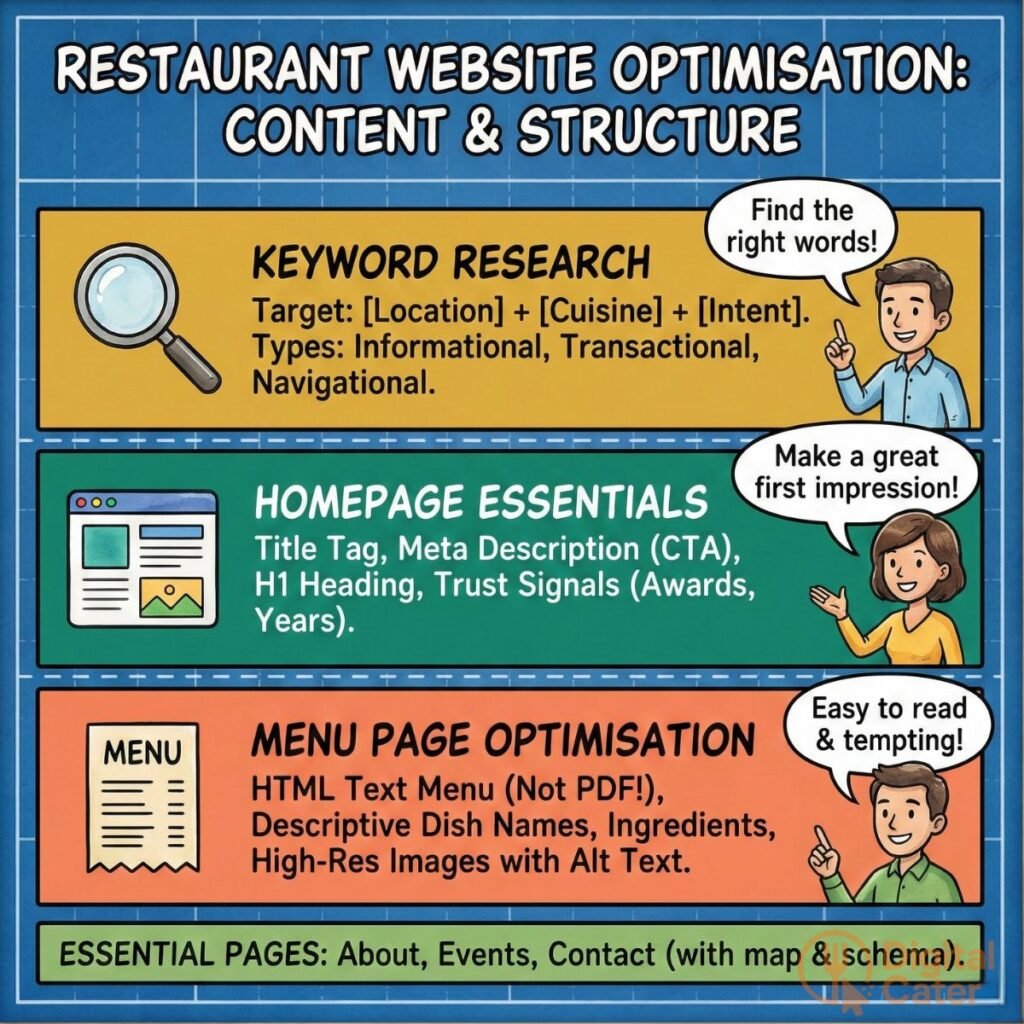
Use this keyword framework: [Location] + [Cuisine Type] + [Intent Modifier].
Examples by search intent type:
Informational searches seek knowledge. “Best Italian restaurant in Fitzroy.” “Top Vietnamese pho Melbourne.” “Authentic Thai food Richmond.” These searchers compare options before deciding.
Transactional searches indicate purchase intent. “Order Thai food delivery Carlton.” “Book table Italian restaurant Collingwood.” “Reserve private dining room Brunswick.” These searchers are ready to act.
Navigational searches target specific establishments. “[Your restaurant name] reservations.” “[Your restaurant name] menu.” “[Your restaurant name] opening hours.” These searchers already know you—make finding you effortless.
Dish-specific long-tail keywords capture niche searches. “Truffle pasta near Southbank.” “Gluten-free pizza St Kilda.” “Vegan ramen Footscray.” “Halal Korean BBQ Coburg.” These precise queries often convert better than generic terms.
Research tools provide data-driven insights. Google Keyword Planner shows search volumes and competition levels. Semrush reveals what keywords competitors rank for. Ahrefs local database uncovers location-specific opportunities.
Competitor keyword gap analysis identifies opportunities. Analyse top-ranking competitors. Identify keywords they rank for that you don’t. Prioritise those with decent search volume and achievable competition levels.
Balance search volume against competition. High-volume keywords attract more searches but face fierce competition. Long-tail keywords have lower volume but easier rankings and higher conversion rates. Target both: broad terms for traffic, specific terms for conversions.
Homepage SEO Essentials
Your homepage serves as your digital entrance. It needs optimisation to rank well and convert visitors into customers.
Title tag formula determines search display. Structure: [Restaurant Name] | [Cuisine] in [Location] | [USP]
Example: “Saigon Corner | Authentic Vietnamese in Brunswick | Award-Winning Pho Since 2015”
Keep under 60 characters to prevent truncation in search results.
Meta description template drives clicks. Include power words, location, and clear call-to-action within 155 characters.
Example: “Experience authentic Vietnamese cuisine in Brunswick. Fresh ingredients, traditional recipes, family atmosphere. Book your table today!”
H1 optimisation requires single, strategic heading. Use one H1 per page containing primary keyword and location.
Example: “Brunswick’s Favourite Vietnamese Restaurant”
Above-the-fold content establishes relevance. Include primary keyword within the first 100 words. State your value proposition clearly. Answer immediately: What cuisine? Where located? Why visit?
Trust signals build credibility. Display awards prominently. Mention years in business. Showcase certifications. Embed a reviews widget showing your star rating. These elements reassure first-time visitors.
Schema markup helps search engines understand your business. Implement Organization schema for your business entity. Add LocalBusiness schema with name, address, phone, coordinates, opening hours, price range, and accepted payment methods.
Menu Page Optimisation
Your menu page drives critical decisions. It needs visibility in search results and usability for potential customers.
HTML text menus outperform PDFs significantly. PDFs aren’t crawlable—search engines can’t read and index them properly. HTML menus allow keyword targeting. They provide better mobile experience. They load faster. They rank better.
Menu structure uses proper heading hierarchy. H2 tags for main categories: Starters, Mains, Desserts. H3 tags for subcategories: Vegetarian Mains, Seafood Mains, Beef Dishes.
Dish description formula enhances appeal and SEO. Structure: [Dish Name] + [Key Ingredients] + [Preparation Method] + [Flavour Profile]
Example: “Pho Bo—Rice noodles in slow-simmered beef bone broth with tender beef slices, fresh herbs, and aromatic spices. Rich, warming, authentic.”
Image optimisation balances quality and speed. Compress images to under 100KB without visible quality loss. Use WebP format for better compression. Write descriptive alt text incorporating keywords: “Grilled Barramundi with lemon myrtle and native herbs at Brunswick Vietnamese Restaurant.”
Menu schema markup displays rich results. Implement structured data showing menu sections, items, descriptions, and prices directly in search results. This increases click-through rates significantly.
Mobile-responsive design accommodates smaller screens. Use collapsible sections to prevent endless scrolling. Ensure tap targets exceed 48×48 pixels. Test on multiple devices. Most restaurant searches happen on mobile—optimise accordingly.
Downloadable PDF option satisfies traditional preferences. Some customers want printable menus. Offer a PDF download link without making it the primary menu format.
The diagram shows how to optimise website content and structure.
Location Pages for Multi-Location Restaurants
Multi-location restaurants need unique pages for each establishment. Duplicate content damages rankings. Each location deserves distinct, localised content.
Create minimum 300 words per location page. Include neighbourhood history, nearby landmarks (parks, transport hubs, shopping centres), local team member profiles, area-specific customer testimonials, and detailed parking or public transport information.
Embed a Google Map showing the exact location. Write unique meta titles and descriptions for each page. Link locations together internally. Mention local events and community partnerships specific to each area.
Essential Restaurant Pages
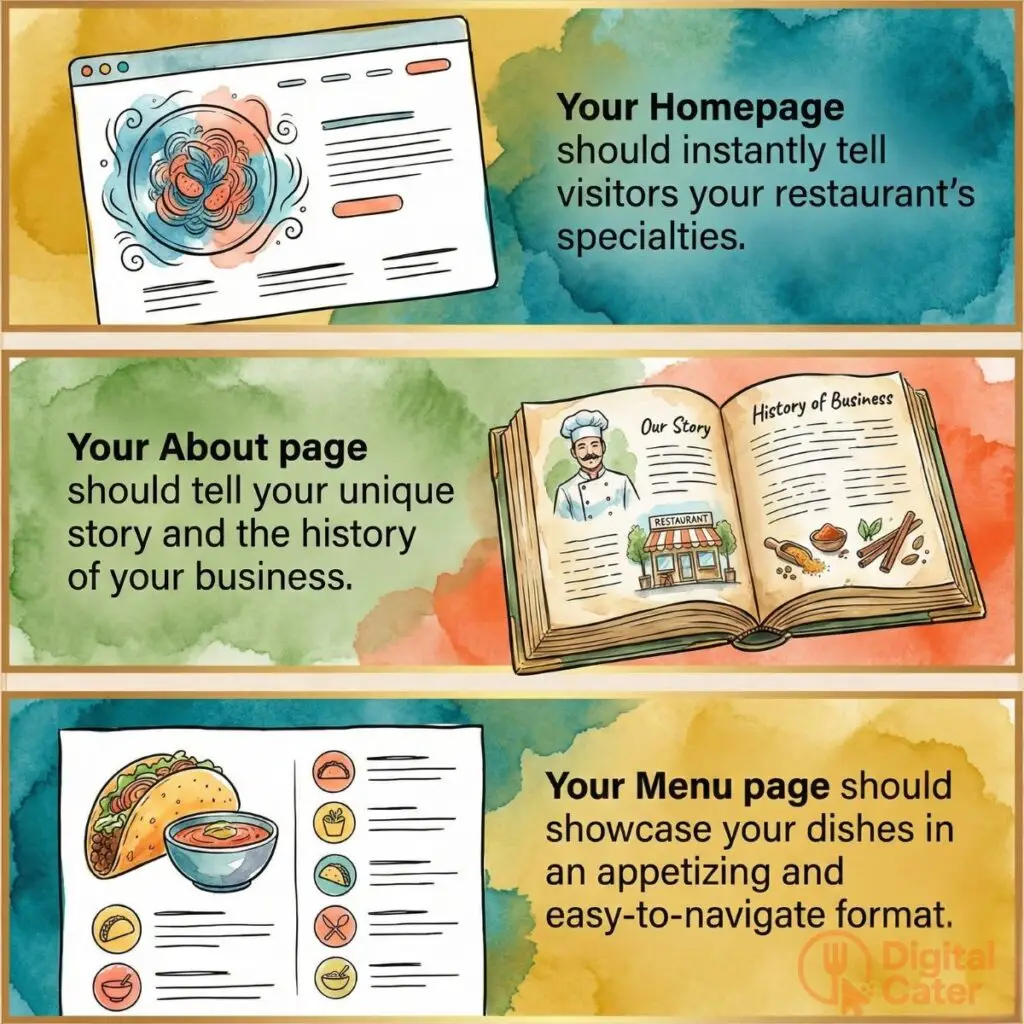
About page: Share your brand story, chef credentials, and ingredient sourcing philosophy. Build trust through transparency.
Events and private dining page: Detail room capacity, package options, and include an enquiry form. Capture group bookings.
Catering services page: Define service areas, showcase menu options, state minimum orders. Target corporate catering searches.
Contact page: Include LocalBusiness schema with accurate coordinates. Make contacting you effortless.
Blog section: Publish regular content for ongoing SEO value and customer engagement.
Please see image below for must-have restaurant website Pages.
Technical SEO Foundations
Technical excellence supports all other SEO efforts. Without solid foundations, your best content strategies underperform. Search engines must crawl, index, and understand your website efficiently.
Think of technical SEO as your restaurant’s infrastructure. Beautiful decor matters little if the kitchen can’t function. Similarly, compelling content fails without proper technical implementation.
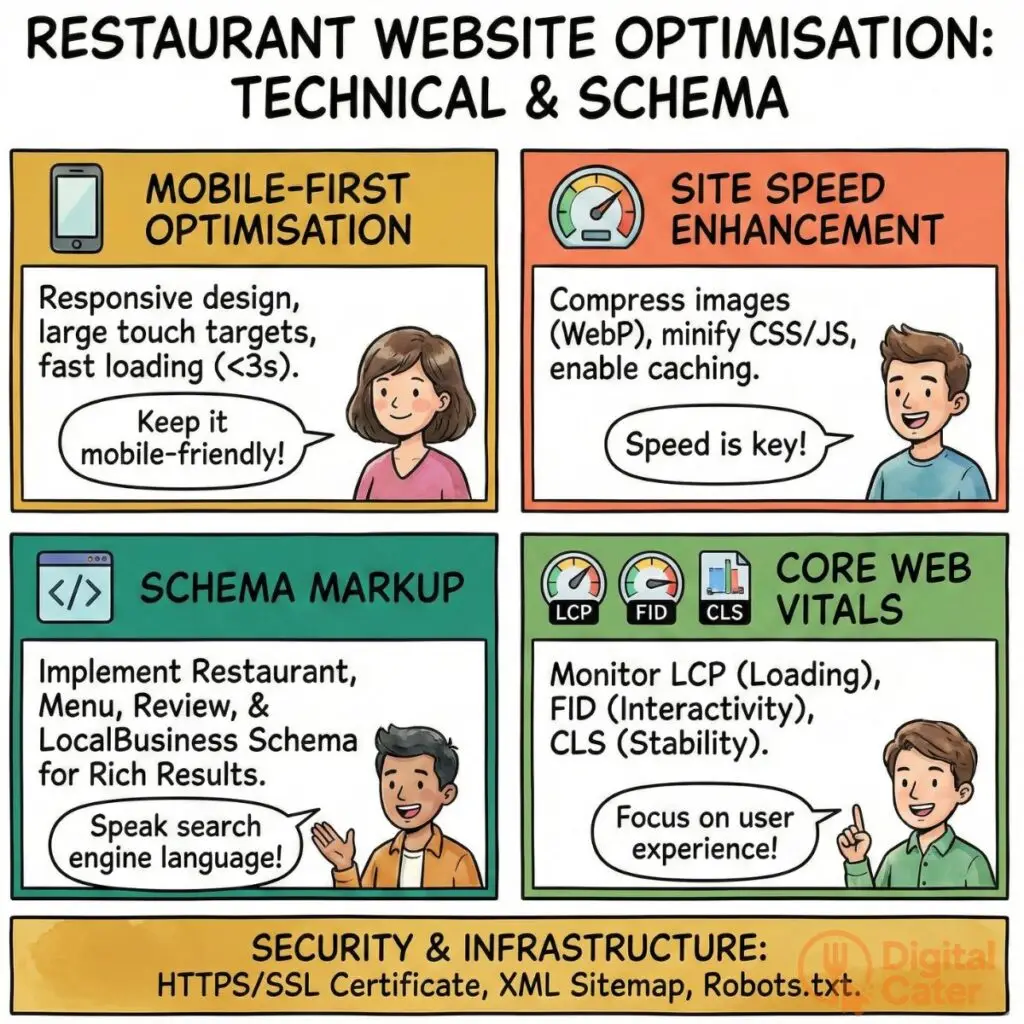
Mobile-First Optimisation
Google now uses mobile versions for ranking decisions. Your mobile site determines your search visibility—not your desktop version.
Test responsive design using Google’s Mobile-Friendly Test tool. Ensure touch targets exceed 48×48 pixels for easy tapping. Make phone numbers clickable for instant calls. Enable tap-to-navigate for addresses, opening Google Maps directly.
Target under three seconds for mobile page speed. Implement sticky navigation carefully—it shouldn’t obscure content.
Site Speed Enhancement
Fast sites rank better and convert more visitors. Follow these steps:
- Compress images using TinyPNG or WebP format with lazy loading
- Minify CSS and JavaScript files to reduce file sizes
- Enable browser caching with appropriate expiration dates
- Choose quality hosting and implement CDN for faster delivery
- Eliminate render-blocking resources
- Compress files with Gzip
Test with Google PageSpeed Insights and GTmetrix. Monitor Core Web Vitals scores regularly.
Schema Markup for Restaurants
Schema markup helps search engines understand your content structure. Priority types include Restaurant schema (name, address, phone, cuisine, price range, operating hours), Menu schema (sections, items, prices, descriptions), Review and AggregateRating schema, LocalBusiness schema, and Event schema for special dinners.
Implement using JSON-LD format. Test with Google’s Rich Results Test and Schema Markup Validator. Avoid common errors like missing required fields or incorrect data formats.
Core Web Vitals Optimisation
Three metrics matter: Largest Contentful Paint (under 2.5 seconds), First Input Delay (under 100 milliseconds), and Cumulative Layout Shift (under 0.1).
Quick fixes: optimise images for LCP, minimise JavaScript for FID, and reserve space for dynamic content to prevent CLS. Monitor through Google Search Console.
Technical Infrastructure
Secure your site with HTTPS/SSL certificates. Create and submit XML sitemaps to Google Search Console. Configure robots.txt to allow crawling of important pages. Use canonical tags for duplicate content management. Monitor 404 errors and implement 301 redirects for changed URLs.
The diagram below shows technical and schema for restaurant websites.
Local Citations and Directory Management
Citations build your local presence across the web. Consistent business information on multiple platforms signals credibility to search engines and customers alike.
NAP consistency (Name, Address, Phone number) creates trust signals. Inconsistent information confuses search algorithms and customers. Audit by Googling your restaurant and checking the top 20 results for discrepancies.
Tier 1 platforms require immediate attention: Google Business Profile, Apple Maps Connect, Bing Places for Business, Facebook Business Page, and Yelp for Business.
Tier 2 platforms add value: TripAdvisor, Yellow Pages, and Foursquare.
Industry-specific directories matter: Reservation platforms (OpenTable, Resy, Tock), food discovery sites (Zomato, Zagat, local Eater), delivery platforms (DoorDash, Uber Eats, Grubhub), local dining guides, and tourism bureau listings.
Quality trumps quantity. Conduct quarterly audits. Use tools like Moz Local, BrightLocal, or Yext for automation.
Measuring Local SEO Performance
Track what matters. Data reveals what’s working and what needs adjustment.
Google Business Profile Insights show how customers find you: direct searches (branded), discovery searches (category), or branded searches (your name). Monitor website clicks, direction requests, phone calls, messages, and photo views.
Google Analytics tracks reservation completions, online ordering conversions, contact form submissions, and phone clicks. Analyse traffic sources and user behaviour flows.
Google Search Console reveals impressions, clicks, click-through rates, and average positions. Monitor which keywords drive traffic and which pages rank best.
Key Performance Indicators include organic traffic growth, local keyword rankings, conversion rates, review volume, and backlink growth.
Calculate ROI by tracking revenue from organic search, comparing SEO investment against paid advertising costs, and considering customer lifetime value. Expect three to six months for significant results.
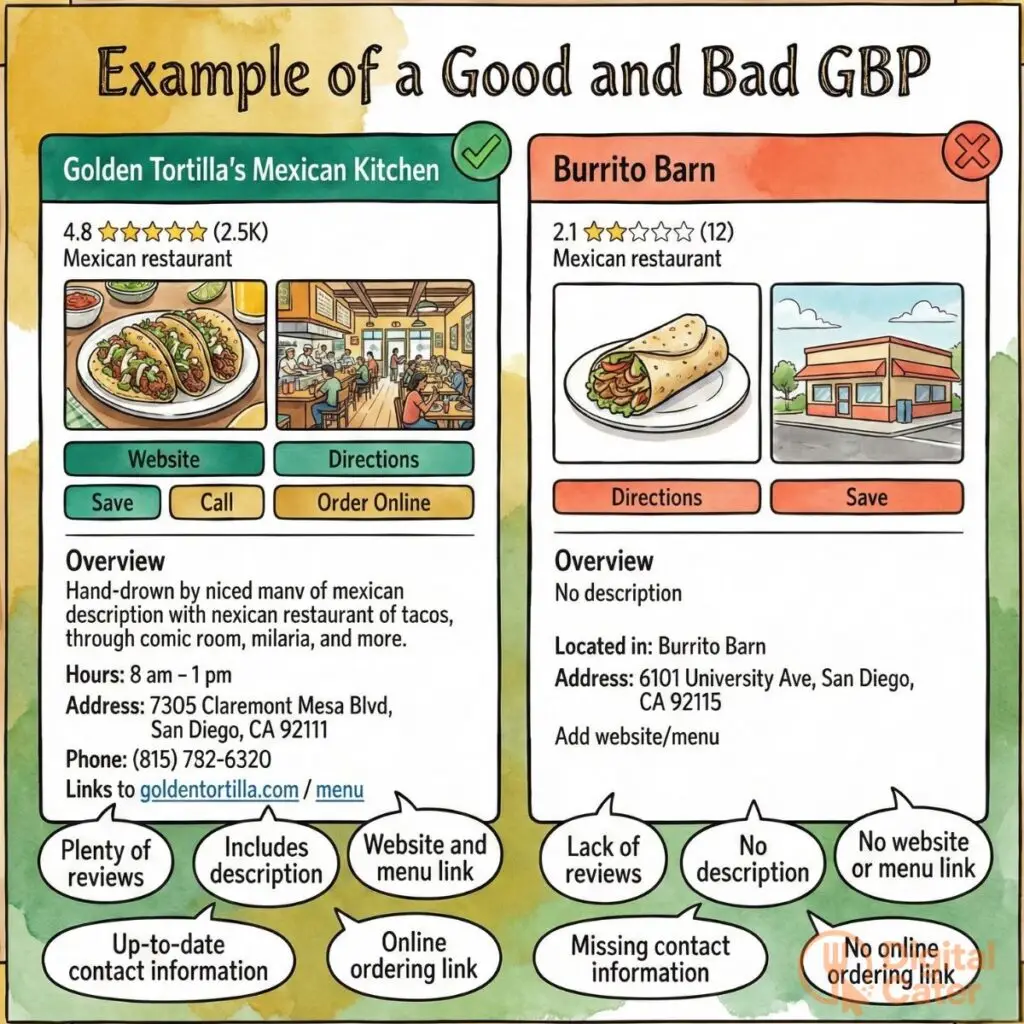
The image below shoes example of a good and a bad restaurant business profile.
Frequently Asked Questions About Restaurant Local SEO
How long does it take to see local SEO results for a restaurant? Expect three to six months for measurable results. Quick wins like Google Business Profile optimisation show within weeks. Competitive keyword rankings take longer.
What is the most important ranking factor for local restaurant SEO? Google Business Profile optimisation, reviews, and proximity to searcher matter most. No single factor dominates—comprehensive optimisation wins.
Do I need a separate Google Business Profile for each restaurant location? Yes. Each location requires unique profiles with distinct content, photos, and reviews.
Should restaurants prioritise Google, Yelp, or third-party delivery platforms for SEO? Google comes first for organic visibility. Maintain Yelp for credibility. Own your traffic rather than renting space on delivery platforms.
Can negative reviews hurt my restaurant’s local search rankings? Volume and response matter more than individual negative reviews. Respond professionally to all feedback. Consistent positive reviews outweigh occasional criticism.
See image below for benefits from good local Seo for restaurants.
Essential Tools and Resources for Restaurant SEO
Free tools: Google Business Profile, Google Search Console, Google Analytics, Google Keyword Planner, Rich Results Test, PageSpeed Insights.
Paid tools worth investment: BrightLocal and Local Falcon for rank tracking, Moz Local and Yext for citation management, ReviewTrackers for review monitoring, Semrush and Ahrefs for comprehensive SEO.
Restaurant-specific platforms: Reservation systems with built-in SEO features, online ordering platforms with schema markup, menu management tools with optimisation capabilities.
Common Challenges and Solutions in Restaurant Local SEO
Google Business Profile suspension? Appeal immediately with documentation proving legitimacy. Prevention beats cure—maintain accurate information and follow Google’s guidelines.
Competing with chain restaurants? Leverage hyperlocal advantages, authenticity, community focus, and review quality. Chains can’t match local expertise.
Multiple similar competitors nearby? Differentiate through specialisation, unique menu items, chef expertise, and specific dietary niches. Own your neighbourhood.
Optimising for both dine-in and delivery? Use multiple Google Business Profile categories, create separate landing pages, target service-specific keywords, and implement appropriate schema markup.
Local SEO transforms restaurant visibility. Implementation requires patience and consistency. Start with Google Business Profile optimisation. Build your review system. Strengthen your website foundations. The restaurants dominating local search didn’t get there overnight—they committed to systematic improvement. Your turn starts now.